Product
Dispensary menu software for every screen — and the printer.
GreenScreens turns any TV into a live, POS-synced menu board — and drives cannabis digital menus on tablet and QR, POS-synced print menus and shelf cards, built-in apps, and remote fleet management from the same inventory. One platform, built for cannabis retail; works with 20+ cannabis POS systems.
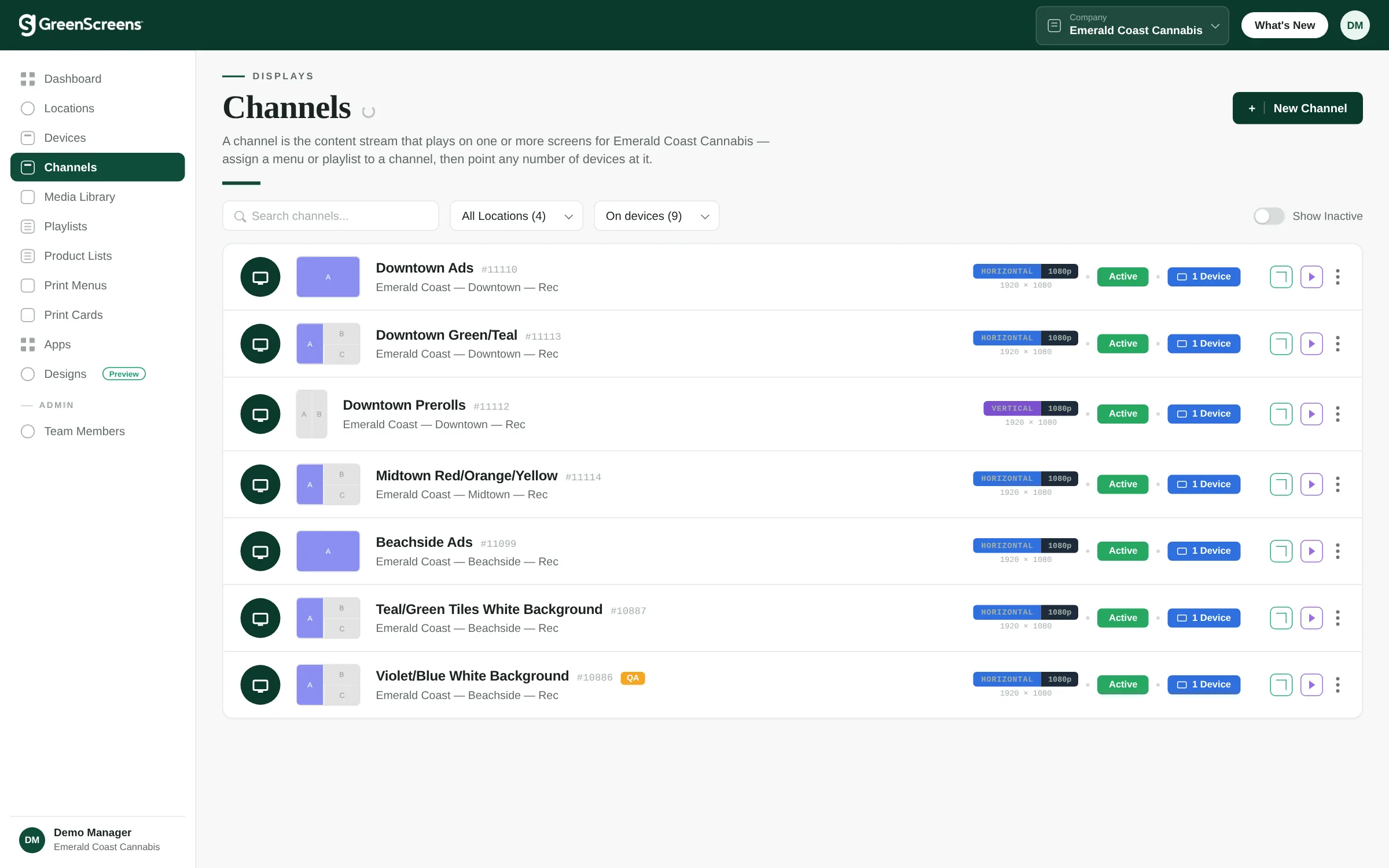
Live menus
Menus that build themselves.
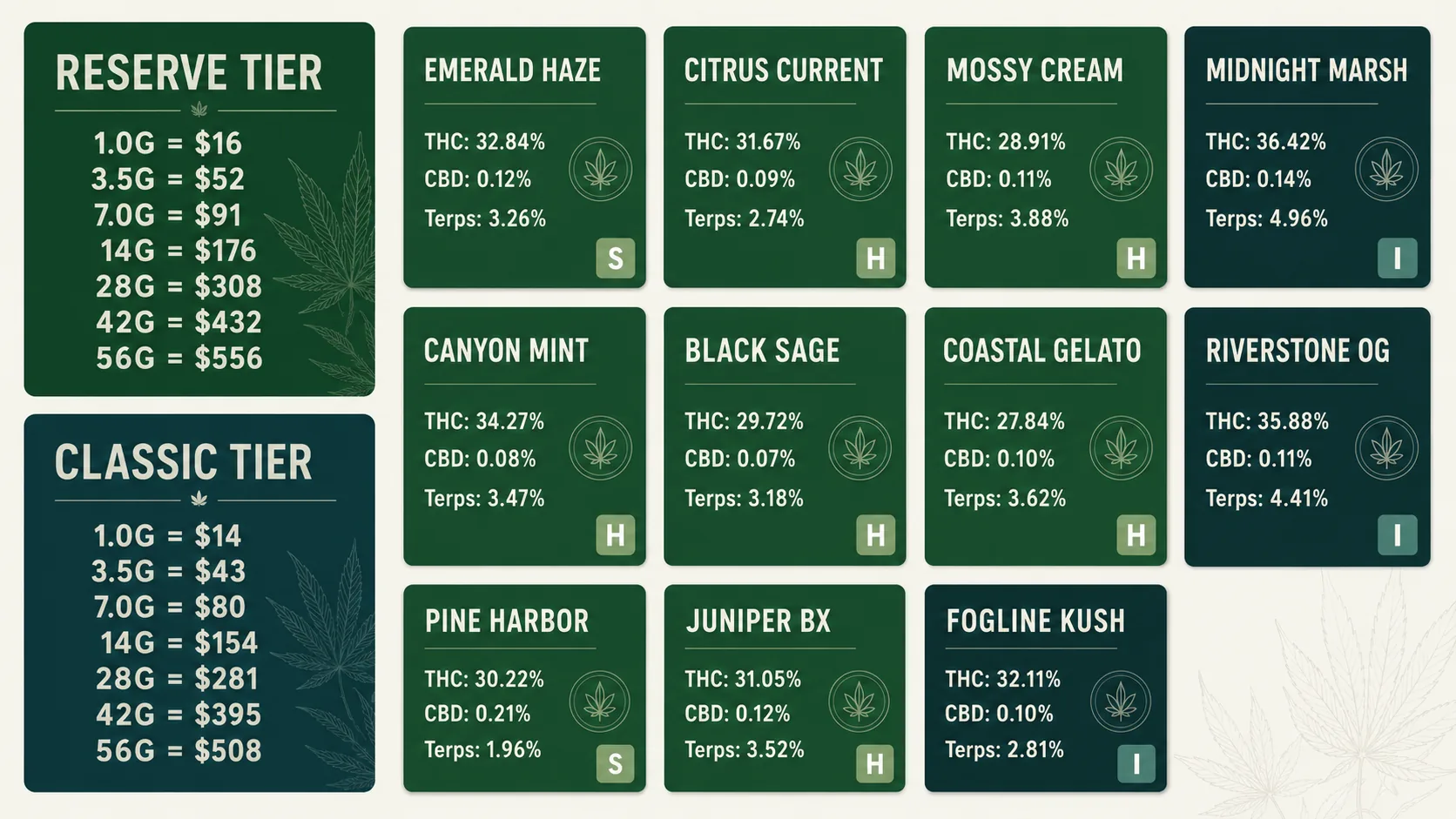
Products, prices, images, THC/CBD, strain, and stock pull straight from your POS. Out-of-stock items gray out automatically; a price change flows to every screen within minutes, hands-free. Choose dense menu tables, image-forward tiles, or color-coded Product Grid boards — with dominance icons, mg-vs-% units, and multi-size pricing built in.
Before & after
The store, transformed.
Most dispensaries start the same way: a whiteboard, a stack of daily printouts, and a TV playing whatever was on the USB stick. Flip the store below to see what changes when the menus run themselves.
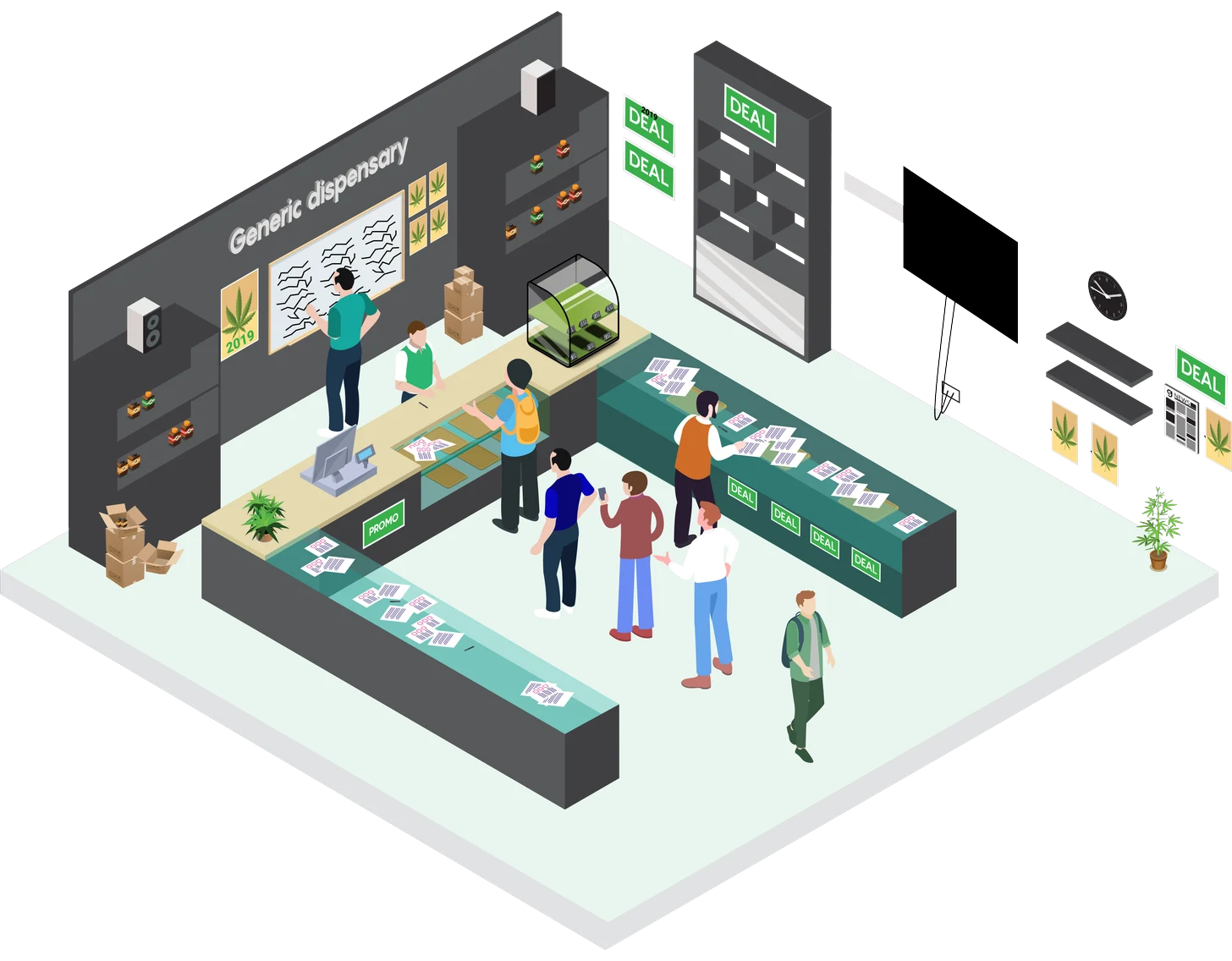
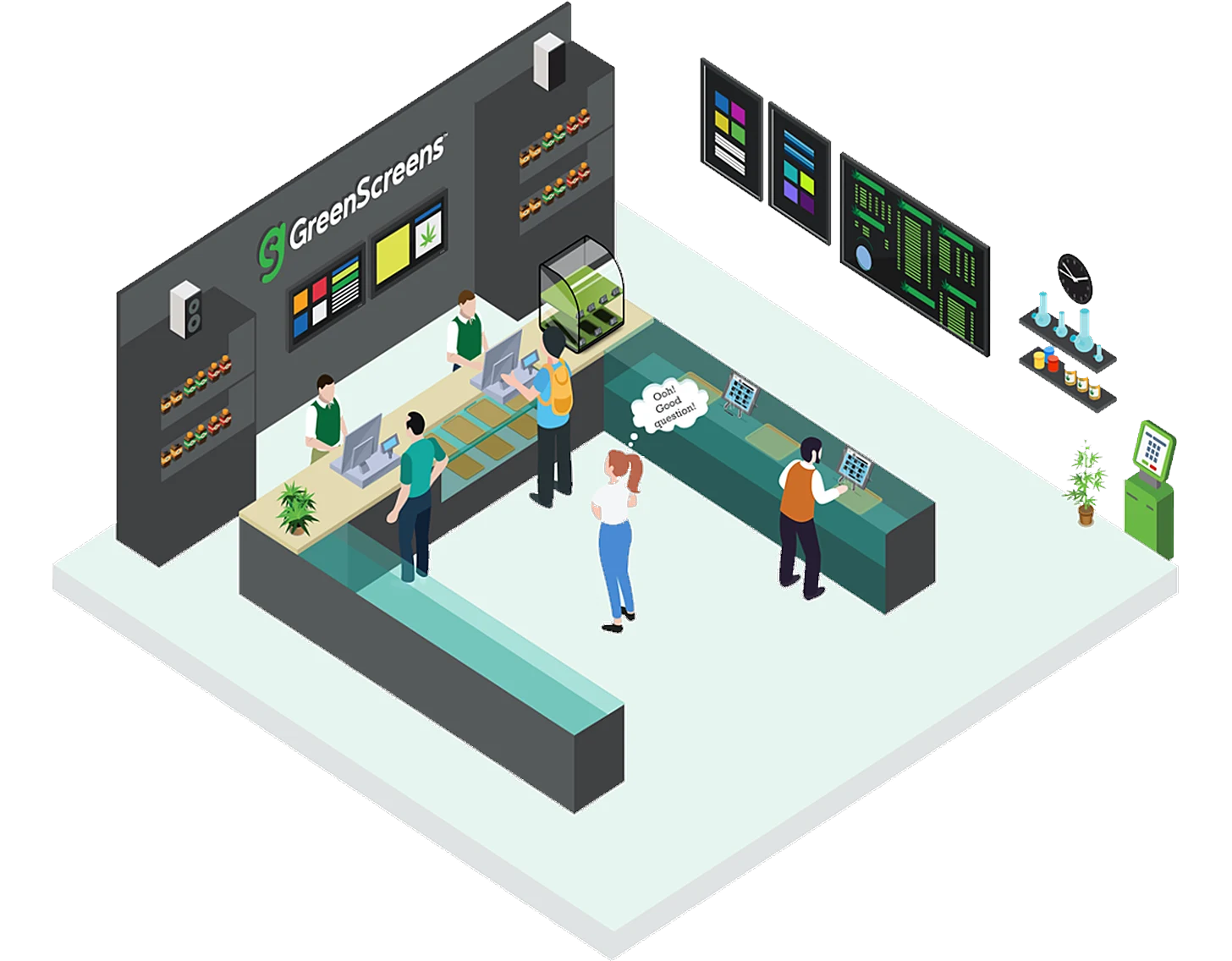
The whiteboard problem.
A manager updates the board by hand while the register goes unstaffed — and it's already wrong again.
Paper everywhere.
Daily printouts drift from what's actually in stock, and the corner TV plays whatever was last loaded from a USB stick.
Lines that grow.
Every new customer's questions land on a budtender, and the whole line waits.
Display engine
One config, every screen.
Up to 26 zones
Flower, deals, a promo video, and the wait queue on one screen — a real merchandising canvas.
Any screen, any size
Responsive scaling from a 7" tablet to the largest TVs on the wall — landscape or portrait, even rotated hardware. Runs on the screens you already own or a ~$20 stick; no proprietary player to buy.
Smooth transitions
Montage-quality cross-fades with double-buffered loading — no black-screen flicker.
Sync mode
Side-by-side TVs play in lockstep with one toggle — and multi-TV walls can run as one giant screen off a single device.
Content & design
Design and schedule, all in one place.
Scheduled playlists
Mix videos, images, and apps with per-item timing — updates fleet-wide on save.
Dayparting
Show the right content by day and time: happy-hour menu at 4pm, holiday promo next week.
Media library
Drag-and-drop uploads, nested folders, tags, and processing status.
Designs tool
Build on-brand promos in minutes with TV-sized presets — no Photoshop, ship the same day.
Built-in apps
More than menus.
Google Reviews
Live ratings on screen, auto business lookup, optional review QR.
Weather
Current conditions and forecast for ambient relevance.
Countdown
Urgency for drops, openings, and sale deadlines.
Embed
Drop in Slides, Power BI, or any web content.
QR code
Bridge the screen to ordering, loyalty, or feedback.
Power BI
Live sales and inventory KPIs on the floor.
Wait queue
Show the live queue and estimated wait.
Staff Room TV
News, training, and recognition for the team.
Fleet & team
Run every screen from your desk.
Device management
Reboot, screenshot, reassign, and push content to any screen from your desk.
Screen analytics
72-hour per-device history proves a screen refreshed after a change.
In-portal preview
QA exactly what's on the wall — and why an item isn't showing — without leaving your chair.
Multi-location & roles
Every store under one login, with permissions for your team.
Kiosk & tablet
Self-service kiosks, fully managed.
Turn any TV or tablet into a locked-down, self-service kiosk that shows your live menu — then run the whole fleet of them remotely from one dashboard. No proprietary hardware, no stray apps on the floor. Which tablet, TV, or stick to buy — and how your POS vendor’s own ordering kiosk fits alongside — is on the dispensary kiosk & menu hardware page.
Kiosk-mode displays
Every screen runs locked to your menu in kiosk mode — no home screen, no stray apps, nothing to tamper with on the floor.
Self-service tablet menus
Set a browse-the-menu tablet on the counter so customers can check strains, prices, THC/CBD, and dominance themselves — synced to live inventory.
Remote kiosk management
Reboot, screenshot, reassign, and push content to any kiosk from the dashboard — fix a frozen screen from your desk instead of driving to the store.
Runs on any device
Google TV, Fire TV, Android tablets, or a ~$20 streaming stick become managed kiosks — no proprietary player to buy.
Print & in-store
The same inventory, on paper.
Screens aren’t the whole store. The live data that drives your boards also prints counter menus and shelf cards — designed once, printed against any store’s current stock and tax. No second spreadsheet, no stale paper, and a per-item price card that keeps your display compliant.
Letter · Portrait · 8.5 × 11 in · 103 items · 1 section · Updated 4/11/2026
Green Mountain Cannabis Co. — VT — Rec
| Strain | Type | THC | Price |
|---|---|---|---|
| Craft Cannabis — Orange Creamee — Deli Style Smalls | Sat | 27% | $7 |
| Craft Cannabis — Pineapple Express — Deli Style Smalls | Sat/Hy | 29.2% | $7 |
| Craft Cannabis — Vermont Bliss — Deli Style Smalls | Sat/Hy | 29.2% | $7 |
Prices include tax · For use only by adults 21 and older · Keep out of reach of children
FAQ
Dispensary menu software, in plain terms.
New to this? Our dispensary digital signage buyer’s guide compares the options, or see the POS integrations (GrowFlow included) and pricing.
Running a Florida store? Start with our field guides to the November hemp-THC ban, the December delay decision and the in-store display rules.
What is dispensary menu software?
Dispensary menu software shows your cannabis menu on in-store screens and keeps it accurate automatically by syncing products, prices, and stock from your POS. GreenScreens is purpose-built dispensary menu software: it drives TV menu boards, tablet and QR menus, and printed menus from one live source.
Is GreenScreens a digital menu board or a cannabis digital menu system?
Both. GreenScreens runs your cannabis digital menus on any screen — TV menu boards, self-service tablets, and QR/contactless menus — and the same live inventory also prints handout menus and shelf cards. Everything updates from your POS within minutes, with no hand edits.
What makes it built for cannabis, not generic signage?
GreenScreens handles cannabis menu data as real fields: THC/CBD and terpene percentages, strain-dominance icons (sativa / hybrid / indica), mg-vs-% units, batch details, and multi-size pricing — not text typed into a slide that someone has to maintain.
Does the digital menu sync with my POS automatically?
Yes. GreenScreens integrates with 20+ cannabis POS systems and re-checks inventory every few minutes, so a price change or a sold-out item updates every screen on its own — no manual refresh and no nightly sync.
Can one platform run TV menus, tablets, and printed menus together?
Yes. The same live inventory drives TV menu boards, tablet and QR menus, printed handout menus, and shelf tags, plus promos, education, and dayparting — so every surface in the store shows the same accurate menu.
Can it print a POS-synced paper menu?
Yes. Printed handout menus and shelf price cards come from the same live inventory as your screens, so a paper menu is generated against the store's current stock, prices, and tax — designed once, printed fresh whenever you need it. No second spreadsheet and no stale paper. See print menus and print cards for examples.
How much does dispensary menu software cost?
GreenScreens is $150 (Dispensary Starter) or $250 (Dispensary+) per location per month with unlimited screens, plus a one-time $200 setup. Annual billing saves 5%, and there are no per-screen fees.
Ready when you are
See GreenScreens on your screens.
A 20-minute walkthrough — live menus, layouts, the whole thing, on a fully stocked demo dispensary.
Published pricing from $150/mo · unlimited screens · runs on the TVs you already own.